Claude Watch
macOS 14+ · Free & Open Source

Claude Watch

A lightweight macOS menu bar app that monitors your Claude API usage in real time. Session limits, weekly quotas, rate limits, and pace — without ever leaving your workflow.

* Check the FAQ for a smooth installation on macOS Sequoia+

See it in action

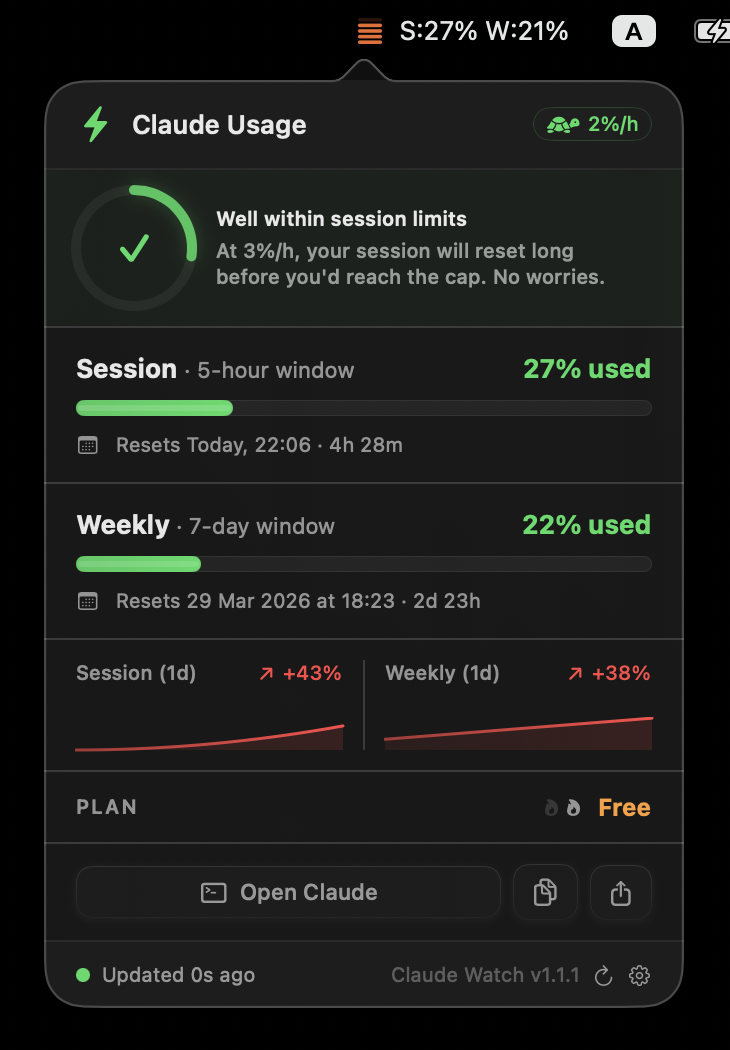
ClaudeWatch lives in your menu bar — always visible, never in the way

ClaudeWatch menu bar showing Claude API session and weekly usage statistics

Session & weekly stats

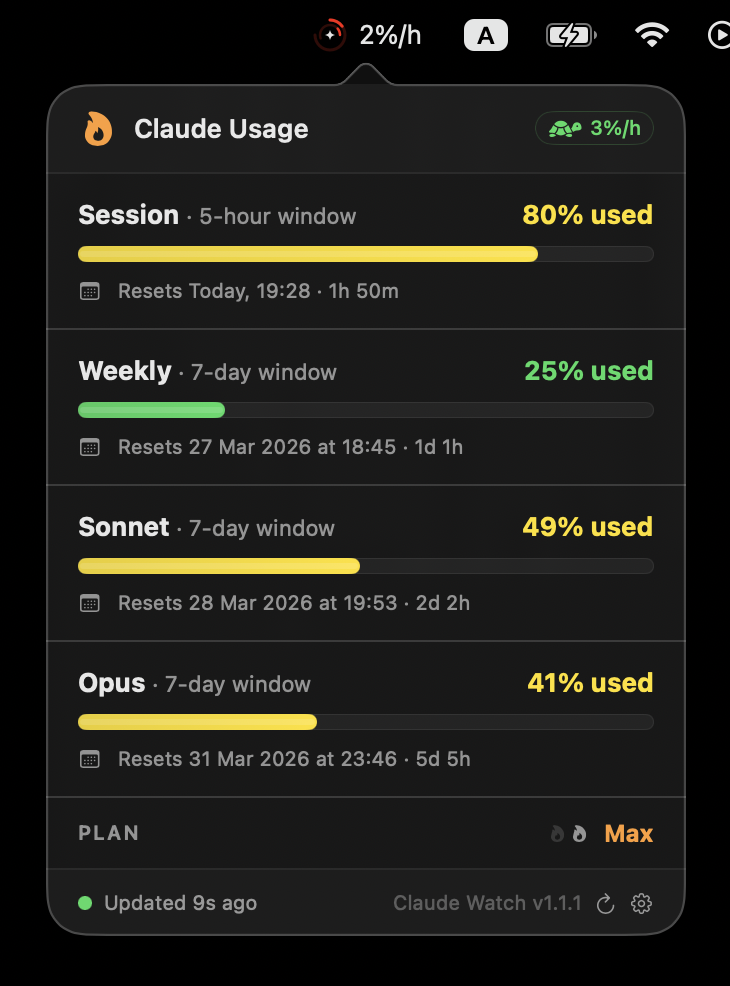
ClaudeWatch menu bar showing rate limits and pace indicators

Rate limits & pace

ClaudeWatch compact mode showing minimal macOS menu bar footprint

Compact mode

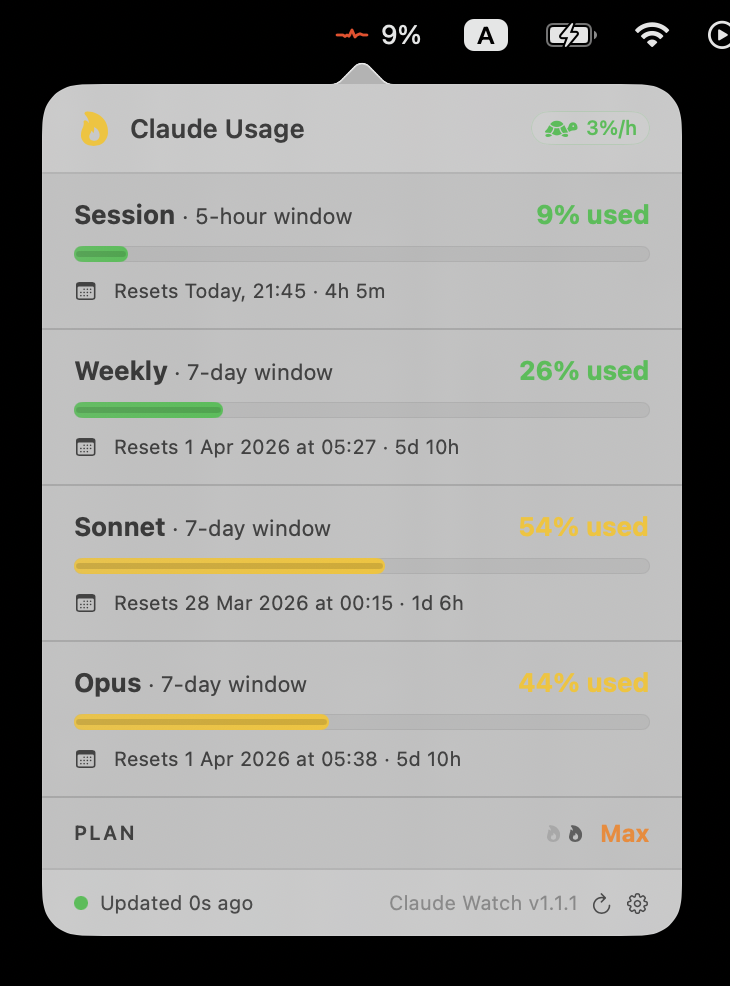
ClaudeWatch in light mode

Light mode

✨ New

Meet your coding companions

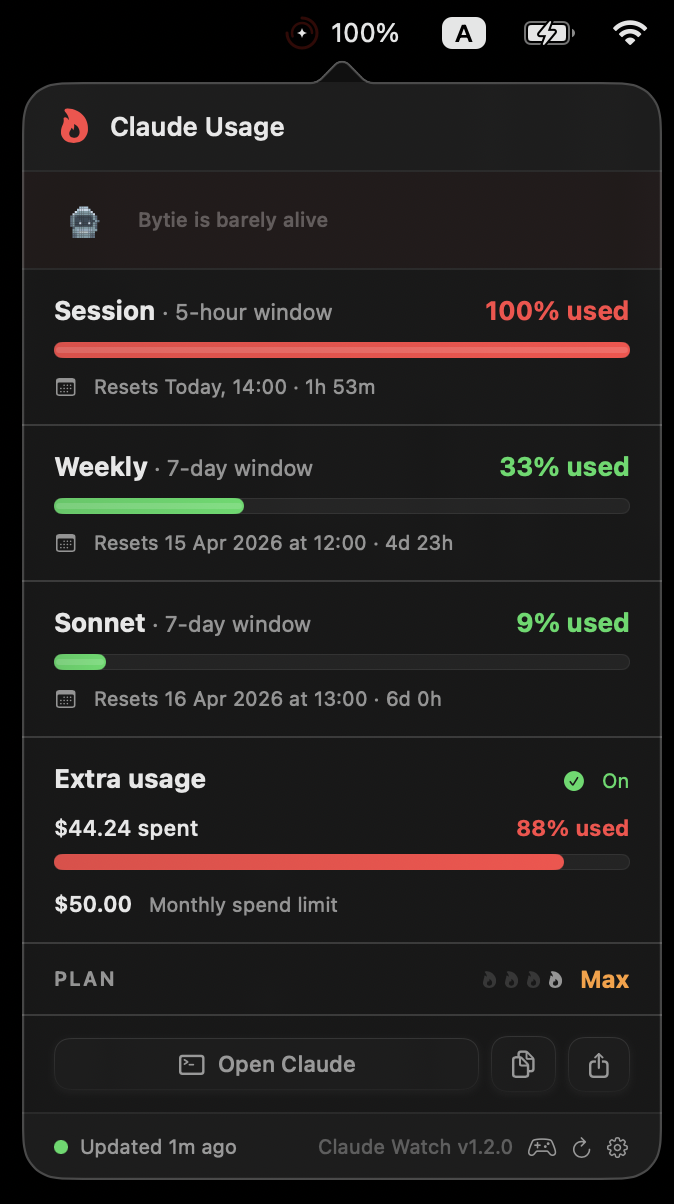
Tiny pixel creatures that live on your Mac and react to your Claude API usage in real time

Clodey

A friendly Claude-inspired blob

Classic Wizard Cat Knight Devil

Bytie

A retro pixel robot

Classic TV Drone Spider Arcade Cute Robot

Sprout

A tiny plant in a pot

Classic Mushroom Cactus Bonsai Acorn

Ghosty

A playful little ghost

Classic Bat Wisp Reaper Jellyfish

8 moods that follow your API usage

Ecstatic Happy Normal Tired Exhausted Critical Sleeping Reborn

21 unique skins

Wizard Clodey, Arcade Bytie, Bonsai Sprout, Reaper Ghosty — and many more waiting to be unlocked.

It talks back

Your pet comments on your pace. Adjust chattiness from Quiet to Chatty — or mute it if you're in the zone.

Wellness nudges

Optional reminders to take breaks, drink water, and stretch — because you forgot again.

Three steps to start

No API keys, no configuration files, no backend

1

Install

Download the .dmg and drag to Applications — done.

2

Authenticate

Claude Watch reads your existing Claude Code OAuth token from macOS Keychain. No extra login.

3

Monitor

Usage appears instantly in your menu bar. Session, weekly, model limits, pace — all automatic.

Everything you need, nothing you don't

Built for developers who live in the terminal

Live Menu Bar

Color-coded status icon always one glance away. Show session %, weekly %, combined, or pace (%/h) — your choice.

Usage Breakdown

Session (5-hour) and weekly (7-day) limits with progress bars, plus model-specific caps for Sonnet and Opus.

Sparkline Charts

Rolling usage history visualized as mini trend charts. Configurable from 6 hours to 7 days.

Usage Pace & ETA

Real-time burn rate (%/hour) with projected hours until session or weekly limits hit.

Smart Notifications

Alerts at configurable thresholds (50%, 80%, 90%…), on limit hit with reset ETA, and when limits restore.

Fully Local & Private

Zero telemetry, zero analytics. Your OAuth token is read directly from the macOS Keychain — never leaves your machine.

Frequently asked questions

Everything you might want to know

No. Claude Watch is fully local. It reads your existing OAuth token from macOS Keychain and queries the Claude API directly. Zero telemetry, no analytics, no third-party services.

No. Claude Watch reuses the OAuth token that Claude Code already stored in your macOS Keychain. If you can run Claude Code, Claude Watch works automatically.

Pro, Max (5x), and Max (20x) plans are fully supported. The app detects your plan automatically and adjusts limits and thresholds accordingly.

Every 2 minutes by default. You can choose between 2, 3, 5, or 10 minute intervals in Settings.

Claude Watch monitors your overall account usage, so it reflects usage from Claude Code, the web app, and any other client sharing the same account.

Yes. Claude Watch is MIT-licensed and fully open source. You can audit, fork, and contribute on GitHub.

Claude Watch is not signed with an Apple Developer certificate, so macOS Sequoia (15+) will block it on first launch. One-time fix:

  1. Open Claude Watch — dismiss the blocked dialog.
  2. Go to System Settings → Privacy & Security.
  3. Click Open Anyway and authenticate.

Or run in Terminal: xattr -cr "/Applications/Claude Watch.app"

🇺🇦
Stand with Ukraine

russia is waging a war of aggression against Ukraine. Civilians are dying. Cities are being destroyed.
Please consider donating to support Ukraine and its people.

United24 — Official Ukraine Fundraising Platform →